
WhatsApp: the quickest route
Best for setup questions and anything where a photo of the screen helps. Messages are read around the clock, late evenings and weekends included.
Contact
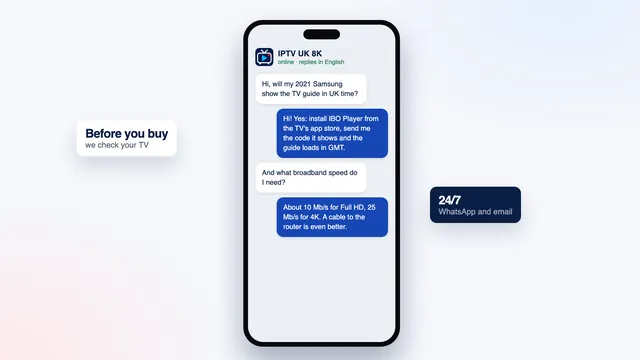
To contact IPTV UK 8K, write on WhatsApp for a quick answer or by email when you want a written record. Both inboxes are watched 24/7 by the people who handle orders and setup, and every answer is in English.
Contact
Best for setup questions and anything where a photo of the screen helps. Messages are read around the clock, late evenings and weekends included.
Best for receipts, refund requests and longer questions. Write to contact@iptvuk-8k.co.uk; the answer comes from the same team.
Each plan card opens a WhatsApp message with the plan already named, so ordering needs no separate request. Compare the four first.
Your message
Three details turn a back-and-forth into a single reply.
Your plan. Its name, and the phone number or email address used to pay, so the order and its end date can be found straight away.
Your device. The make and model of the TV, stick or box, and the player you installed. “Samsung 2021, Smart IPTV” already narrows things down a great deal.
What the screen shows. A photo or screenshot of the error, the menu or the frozen picture says more than a description. Add whether it affects every channel or just one, and at what time it happens.
Reply times
Support runs 24/7, so evenings, weekends and bank holidays are covered like any weekday morning.
Usually the quicker of the two, because photos and follow-up questions stay in the same thread.
Answered by the same team, at any hour; allow a little longer when a request has to be checked against the order, such as a refund.
A paid order leaves within 2 minutes. If nothing has come after a quarter of an hour, look in your junk folder, then write to us.
Topics
Many questions already have a written answer. If yours does not, write to us anyway.
Check the junk folder and the WhatsApp number you gave, then send us the payment details.
What the message contains →An empty grid, times out after the clocks change, replays you cannot find.
TV guide help →No plan renews on its own: a new order brings a new login for the same players.
How renewal works →Quick checks
Switch off the router and the TV or stick for a minute, then open the player again. It clears more frozen pictures than any setting.
Run a speed check on the TV or stick itself, not on your phone, at the time the problem happens.
If the grid is empty or wrong, start a guide refresh from the player’s own settings menu first.
Stay safe
Nobody from the team asks for the one-time code your bank sends by text. It stays between you and your bank.
Payment links only come inside the conversation where you ordered. One that turns up anywhere else is not ours.
Email, bank or social media passwords are of no use to us. Never share them with anyone who claims to be the team.
FAQ
WhatsApp. You can attach a photo of the screen, and the conversation keeps every detail together for the next reply.
It normally leaves within 2 minutes of payment. Look in your junk folder, check the WhatsApp number or email address you gave, then message us with the payment details so the order can be found.
Yes. Support runs 24/7, with no closing time and no weekend break.
Of course. Give the make and model of your TV or device and we will tell you which player to install and what your broadband needs. The setup page answers the most common ones already.
Email contact@iptvuk-8k.co.uk within 7 days of payment with the purchase date, the username you received and what your screen shows. The refund policy lists the two cases covered.
Pick a plan, pay once in pounds and your codes leave within 2 minutes. If no picture appears on any of your screens despite our help, the 7-day guarantee refunds you.