Guide
IPTV UK multiple devices: install everywhere, watch within your plan
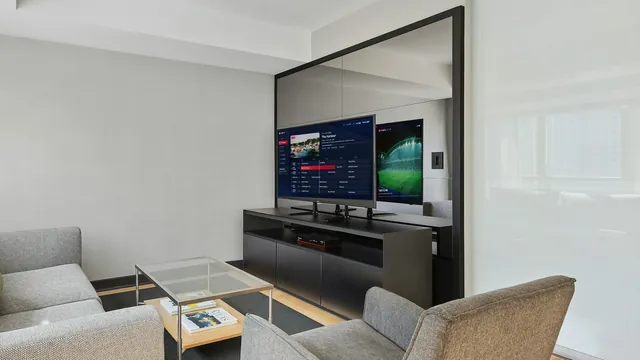
IPTV UK, multiple devices, one household: you can put the player on every TV, phone and tablet at home, but the number of screens that play at the same moment depends on your plan. Quarter, Annual and Two-Year play on one screen at a time; Multi-Room plays on two. This guide shows how that works when the family moves between the lounge, the bedroom, a phone and a tablet, what stops a stream and how much broadband two screens need.
IPTV UK multiple devices: what each plan allows
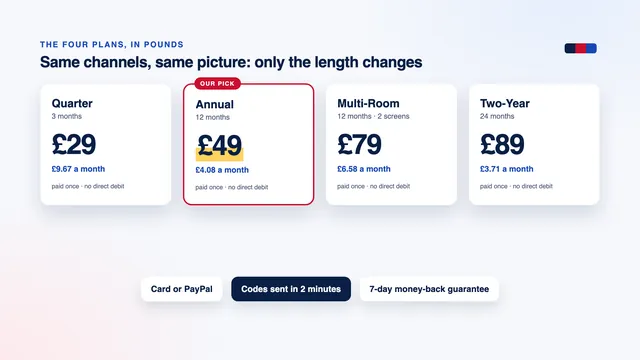
All four plans carry the same channels, films and series at the same picture quality. Two things change: how long the plan runs and how many screens can play together.
| Plan | Length | Price, paid once | Screens playing together | Per month |
|---|---|---|---|---|
| Quarter | 3 months | £29 | 1 at a time | £9.67 |
| Annual | 12 months | £49 | 1 at a time | £4.08 |
| Multi-Room | 12 months | £79 | 2 at the same time | £6.58 |
| Two-Year | 24 months | £89 | 1 at a time | £3.71 |
‘One at a time’ is meant literally. On Quarter, Annual or Two-Year, a second device can start only once the first has stopped. Multi-Room raises the limit to two streams at once, so the lounge can follow the football while someone in the bedroom watches a film.
There is no three- or four-screen plan. If your household often needs more than two screens at the same moment, ask the team before you order.
Which plan fits which home
- One main TV, one person or a couple who watch together: Annual, at about £4.08 a month, the plan we recommend.
- The same single screen, for longer and for less each month: Two-Year, at £3.71.
- Lounge and bedroom busy on the same evenings: Multi-Room, two screens for £79 a year.
- A shorter commitment first: Quarter, £29 for 3 months on one screen.
Installing on several devices versus watching on several
With IPTV UK, multiple devices can hold the login at once: the lounge TV, a stick in the bedroom, a tablet and two phones. What the plan counts is a screen that is actually playing something, whether a live channel, a film, an episode or a catch-up programme.
Every device uses the login from your delivery message: the username, the password and the server URL for players that sign in with Xtream Codes, or the M3U playlist link for those that read a playlist. Typing it into one more device does not sign the others out.
Which player goes on which device
- A Fire TV stick or Cube: a player installed with Downloader, explained step by step in the Firestick guide.
- A Samsung, LG or Android TV: a TV app, or a player from Google Play. Smart IPTV and IBO Player link the playlist to each TV’s MAC address, so a second TV is activated on its own; the Smart TV guide covers both.
- Apple TV, iPhone and iPad: players from the App Store only, as the Apple TV guide explains.
- A computer: VLC opens the M3U link on a PC or a Mac.
Using the same player everywhere makes life easier because the menus look alike, but nothing forces you to: the lounge can run one app and the phones another. Our guide to player apps compares them, and the setup overview shows where the login goes on each device. Favourites are usually saved on each device, so build your list once per screen.
Moving between the lounge, the bedroom, a phone and a tablet
On a one-screen plan, changing room works like handing over a remote: stop on one device, then start on the next.
- Stop the stream first. Press Back until you reach the player’s menu, or close the app.
- Then switch the TV off. Turning off only the TV can leave a stick or box streaming behind a dark screen, and it still counts as a screen.
- Start on the next device. If it refuses at first, wait a minute and try again: the previous connection can take a short while to close.
- Check picture-in-picture on phones and tablets. A small floating video in the corner is still a screen playing.
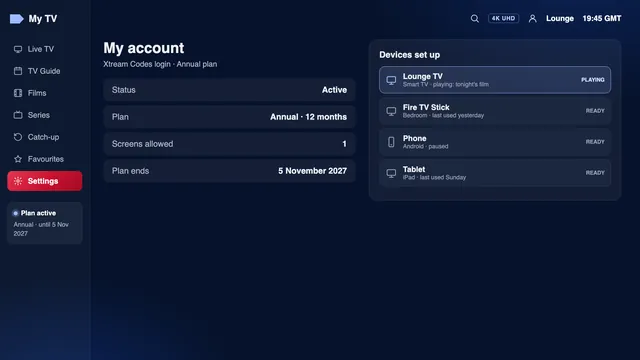
On Multi-Room the same habits matter once a third device joins in: two screens play, a third does not. Some players, Smarters Pro among them, show on their account screen how many connections are active and the maximum your plan allows, which settles the question in seconds.
What stops a stream
When a picture stops on one device or refuses to start on another, the cause is nearly always in this table.
| What you see | Likely cause | What to do |
|---|---|---|
| On a one-screen plan, the bedroom TV will not start while the lounge is playing | a second screen is over the limit | stop the lounge first, or choose Multi-Room at renewal |
| On Multi-Room, a third device will not play | two screens are already playing | find the two that are on, often a forgotten tablet |
| A message about connections or a maximum reached | a device is still streaming somewhere, sometimes behind a switched-off TV | stop every device, wait a minute, start one |
| Every screen stops on the same day | the plan has reached its end date, and nothing renews automatically | place a new order and type in the new login |
| Pictures pause on both screens each evening | broadband or Wi-Fi, not the screen limit | run the checks in the buffering guide |
| The login stops working before its end date | a login shared outside the home or posted publicly can be suspended | contact the team with your username |
Too many devices on the same broadband is a different problem from the screen limit. Your plan may allow two screens, but if a console is downloading a game and three phones are on video calls, the two TVs share whatever is left of the line.
Broadband for two screens at the same time
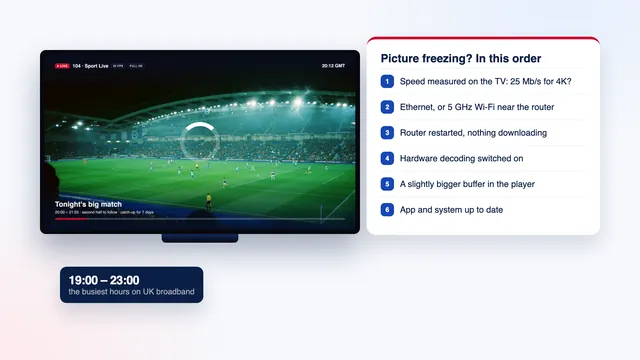
Each screen that plays takes its own share of the line, so add them up. The stable figures to plan for are about 5 Mb/s for an HD picture, 10 Mb/s for Full HD and 25 Mb/s for 4K, per screen, measured on the device itself.
- two screens in Full HD: about 20 Mb/s;
- one 4K screen and one Full HD: about 35 Mb/s;
- two screens in 4K: about 50 Mb/s;
- plus a margin for the rest of the house: phones, laptops, video calls and downloads.
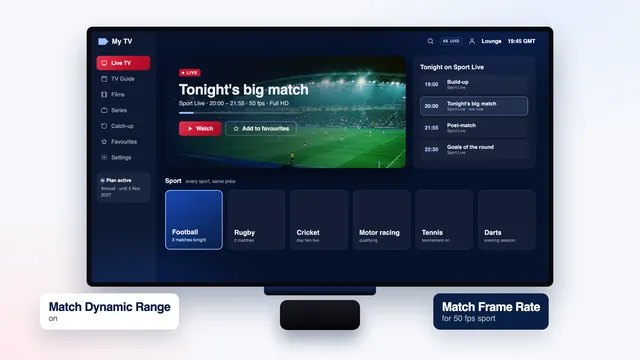
Pictures go up to 4K UHD on the channels and titles produced in 4K, so the 50 Mb/s case only applies when both screens show such a source on a 4K set. Sport is the heaviest load of the week, and the guide to live sport at 50 frames per second covers match-night settings.
Where each screen gets its signal
The screen nearest the router is the easy one: run an Ethernet cable to it. The bedroom is the usual weak spot, because walls and floors cut 5 GHz Wi-Fi quickly; a mesh point or a pair of powerline adapters near the second TV often helps more than a faster broadband package.
Check both screens together at the busy time: start them around 21:00 on a weekday, in the middle of the evening rush, and watch for ten minutes. If one stutters only while the other plays, the line or the Wi-Fi is the limit, not your plan. The buffering guide takes those checks further.
Phones and tablets around the house
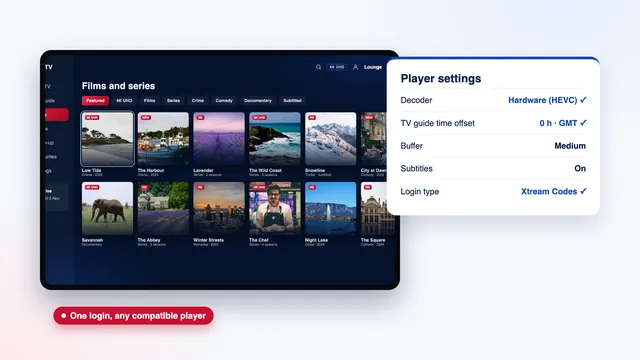
IPTV Smarters Pro runs on iPhone and iPad from the App Store and on Android phones and tablets from Google Play, and VLC opens the M3U link on both. Look-alike apps with near-identical names exist, so check that the developer is Tech Smarters Private Limited before you install.
A phone counts as a screen like any other. On a one-screen plan, a teenager watching upstairs on a phone and a parent switching on the lounge TV will collide; Multi-Room is made for that kind of evening.
Watch the signal in the garden or a far bedroom. When Wi-Fi weakens, a phone can move to mobile data without telling you, and an HD stream at about 5 Mb/s uses roughly 2.25 GB an hour, Full HD about twice that. If your allowance is small, turn off Wi-Fi Assist on an iPhone (under Mobile Data) or the similar automatic switch on many Android phones.
For a child’s tablet, several players offer a PIN lock on chosen categories. Set it on that tablet itself, since such settings are usually kept per device.
One household: who the login is for
On IPTV UK, multiple devices are welcome within one household: the people who live under your roof, on your broadband, with their own TVs, phones and tablets. The screen limit is built around that home, and the plans are priced for it.
If a grown-up child moves out, or a relative in another house wants the same channels, they need a plan of their own, sent to their own phone or email.
Moving from one screen to Multi-Room at renewal
Each plan is a single payment by debit or credit card or PayPal and never renews on its own: access stops at the end date given in your delivery message, which many players also show on their account screen. That date is the natural moment to change plan.
- A week or two before the end date, decide whether one screen has been enough or whether evenings keep clashing.
- Order Multi-Room from the plans on the home page, paying once as before.
- The team sends a new login within 2 minutes. Type it into the players you already use, in place of the old details.
- Add the same login to the second TV, phone or tablet, and both can now play together.
On cost, two separate Annual plans would come to £98 for the year; Multi-Room costs £79, which is £19 less. If one screen turns out to be enough, Two-Year brings the price down to £3.71 a month. The plans page sets the four side by side, and the cost breakdown works out each one per month and per day.
If the second screen cannot wait until your end date, write to the team before ordering anything, so you know your options first. The IPTV UK 8K home page sums up what every plan includes.
Frequently asked questions
How many devices can I install the player on?
As many as your household uses: TVs, sticks, boxes, phones, tablets and computers. The plan limits screens playing at the same moment, not installations. Each device uses the same login from your delivery message.
Can two people watch different channels at the same time?
Yes on Multi-Room, which plays on two screens at once for 12 months. On Quarter, Annual and Two-Year, only one screen plays at a time, so the second has to wait until the first stops.
Why did my stream stop when someone else started watching?
On a one-screen plan, the second device took the only screen, or was refused because the first was still playing. Stop one of them, wait a minute and start again. A device left streaming behind a switched-off TV causes the same thing.
Do films and catch-up count as a screen?
Yes. Anything that plays counts, whether a live channel, a film, an episode or a catch-up programme. Browsing menus without pressing play does not normally count.
IPTV UK multiple devices: what broadband do two 4K screens need?
About 50 Mb/s of stable broadband, that is 25 Mb/s per 4K screen, plus a margin for everything else online in the house. Measure on each device during the evening, and put at least one screen on Ethernet if you can.
Can I move from Annual to Multi-Room?
Yes, when your plan reaches its end date: order Multi-Room and the team sends a new login within 2 minutes. Type it into your existing players and add it to the second device. If you need two screens sooner, contact the team first.
Is there a plan for three or more screens?
No. Multi-Room, with two screens at the same time, is the largest plan. If your household regularly needs more, ask the team before ordering.